WooCommerce: Why & How to Disable Ajax Cart Fragments

If you’re here it’s because your WooCommerce website is slow and you’re wondering why the “/?wc-ajax=get_refreshed_fragments” URL generates delays and server loads (spikes).

Besides, there is too much online literature about WooCommerce Ajax Cart Fragments (including specific plugins and performance plugin options), and you want to learn quickly what they are before understanding if and how you should disable them.

Performance optimization tools like Pingdom and GTMetrix often put the blame on this little WooCommerce functionality. And disabling it carefully can give you a boost in speed, page load and ultimately sales conversion rate.

So here’s all you need to know.

Continue reading WooCommerce: Why & How to Disable Ajax Cart Fragments

WooCommerce: How to Improve the Speed of my Store?

This is a guest post by Simon Tomkins of CommerceGurus – if you like the article, make sure to thank him in the comments!

The speed of your WooCommerce store is incredibly important when it comes to converting visitors into customers. Research has shown that even a one second delay can result in 7% of lost orders.

If your WooCommerce site is making $1,000 per day, that one second delay in load time could potentially cost you $25,000 in annual lost sales – not small change! If you are the lucky owner of Amazon, a one second delay in 2017 could have meant a $178 billions * 0,07 = $12.5 billions loss in net revenue…

Once again, a slow WooCommerce website is costing you money.

I spent a great deal of time researching website speed and performance optimization before creating our Shoptimizer WooCommerce theme. Some of the statistics are staggering:

  • 73% of mobile users have abandoned a site due to it taking too long
  • 47% of people expect a site to load in 2 seconds or less
  • 79% of people who encounter a performance issue won’t return again to buy

So, a slow WooCommerce site means unhappy visitors and the loss of potential revenue to competitors.

And today we’ll briefly see what you can do to speed up your WooCommerce website – these are proven performance optimization tricks that can have an immediate impact on your sales conversion rate 🙂

Continue reading WooCommerce: How to Improve the Speed of my Store?

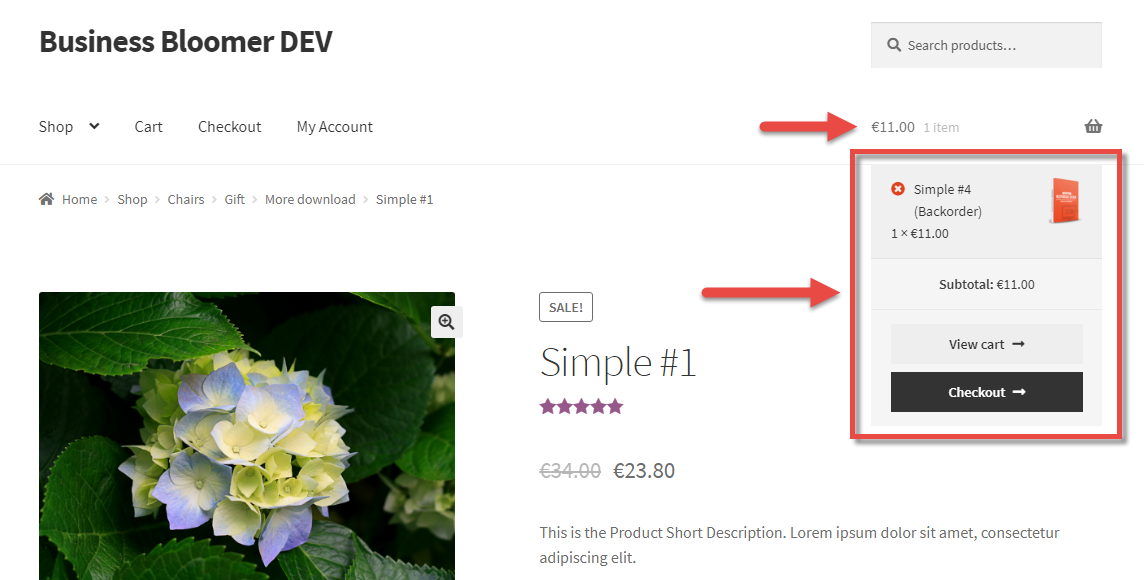
WooCommerce: Remove Mini-Cart Widget Dropdown

Less is more (sometimes). On this same website, I’m already forcing max 1 product in the Cart and automatically redirecting users to Checkout upon add to Cart. On top of that, I’ve disabled WooCommerce cart fragments for performance reasons.

As a result, I definitely don’t need the whole “Mini-Cart Widget Dropdown Content”. To test, try to “hover” onto the shopping cart icon on the top right, and you’ll notice there is no cart dropdown.

Well, this is how it’s done – I love when a complex thing is fixed with one simple line of PHP!

Continue reading WooCommerce: Remove Mini-Cart Widget Dropdown

WooCommerce: Disable Zoom, Slider & Lightbox @ Single Product

Sometimes, cool things don’t apply to certain businesses. Also, keeping the default WooCommerce behaviour might slow down your website, should you not need to use a specific functionality.

For example, I’m talking about the new “Featured Image Zoom”, introduced by WooCommerce a while ago. What if your customers don’t need this? How can you disable it?

Well, as usual, this can be done with a few PHP lines! Now go and disable all the stuff you don’t need 🙂

Continue reading WooCommerce: Disable Zoom, Slider & Lightbox @ Single Product