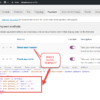
When WooCommerce “manual bank transfer” payment gateway is enabled and you add more than one bank account, WooCommerce outputs every bank account everywhere: on the thank you page, and in the order confirmation emails. That’s fine for simple setups, but not ideal if your store needs to show different bank details depending on the order properties.
On the Checkout Summit website, for example, I use a EUR/USD currency switcher powered by WooPayments so attendees can purchase tickets and sponsorships in their preferred currency. I also have Bank Transfer (“BACS”) enabled as a secondary payment method, and I’ve added two bank accounts in the settings: one for EUR and one for USD.
This creates a practical requirement: customers checking out in EUR should only see the EUR bank account, while those paying in USD should only see the USD bank account. Displaying both would be confusing and unprofessional.
To fix this, I worked on a small snippet that conditionally filters the BACS instructions. It checks the order currency (or any other property) and only returns the matching bank account.

PHP Snippet: Toggle Bank Account List Items Based On WooCommerce Order Currency
This snippet customizes the WooCommerce bank account list based on the order’s currency. It hooks into woocommerce_bacs_accounts and checks the order currency using the order ID.
If the currency is EUR, it filters the accounts to return only those with an IBAN (which is a European-only setting); if it’s USD, it returns accounts without an IBAN. Orders in other currencies will see all accounts.
This allows you to show the correct bank account on the thank you page and in the order emails, avoiding confusion for customers when multiple accounts are set up for different currencies or order conditions.
Feel free to experiment with other order properties—like products, shipping methods, or user roles—and share your own conditional code snippets in the comments!
/**
 * @snippet       Display Bank Accounts Conditionally @ WooCommerce Thank You Page & Emails
 * @tutorial      https://businessbloomer.com/woocommerce-customization
 * @author        Rodolfo Melogli, Business Bloomer
 * @compatible    WooCommerce 10
 * @community     Join https://businessbloomer.com/club/
 */

add_filter( 'woocommerce_bacs_accounts', 'bbloomer_conditional_bacs_accounts', 9999, 2 );

function bbloomer_conditional_bacs_accounts( $account_details, $order_id ) {
    $order = wc_get_order( $order_id );
    if ( ! $order ) {
        return $account_details;
    }

    $currency = $order->get_currency();

    if ( 'EUR' === $currency ) {
        $filtered_accounts = array_filter( $account_details, function( $account ) {
            return ! empty( $account['iban'] );
        });
        return array_values( $filtered_accounts );
    } elseif ( 'USD' === $currency ) {
        $filtered_accounts = array_filter( $account_details, function( $account ) {
            return empty( $account['iban'] );
        });
        return array_values( $filtered_accounts );
    }

    return $account_details;
}