WooCommerce: Get Order Data (total, items, etc) From $order Object

As a WooCommerce development freelancer, every day I repeat many coding operations that make me waste time. One of them is: “How to get ____ if I have the $order variable/object?“.

For example, “How can I get the order total“? Or “How can I get the order items“? Or maybe the order dates, customer ID, billing info, payment method, order status, and so on… hopefully this article will help you save time as well!

As we’ve seen in other articles, get product info from $product object and get cart info from $cart object, not always you can have direct access to the $order variable.

Sometimes, you may have the $order_id available for example. In that scenario, you can “get” the order object with the wc_get_order WooCommerce function.

It’s also possible to gain $order information if you are in an email template. This can be helpful to show additional $order information in your transactional communications or trigger custom functions. Either way, enjoy!

Continue reading WooCommerce: Get Order Data (total, items, etc) From $order Object

WooCommerce: Check if Product Category is in the Order

We already saw how to check if a product category is in the cart, if a product ID is in the cart, and if a product ID is in the order… now it’s time to complete the series with the latest addition!

For this client, the scope was to do something on the “Thank You” page if a certain product category was purchased. For example, echo a “Thank you for becoming a member!” image in case the category “membership” was in the order.

Here’s the snippet, together with PHP comments so that you can understand how this is done. Enjoy!

Continue reading WooCommerce: Check if Product Category is in the Order

WooCommerce: Add Order Notes to WooCommerce PDF Invoices

I use the “WooCommerce PDF Invoices & Packing Slips” plugin, available on the WP Repository, to invoice my clients. At times, for accounting purposes, I need to show the VAT/TAX ID of the client on the PDF invoice.

So, I open the order via WooCommerce > Orders, open the order I want to edit, add a “Note to the Customer” from the right hand side… and then have the following snippet in my functions.php adding such information on the PDF invoice! Continue reading WooCommerce: Add Order Notes to WooCommerce PDF Invoices

WooCommerce: How to Add a Custom Checkout Field

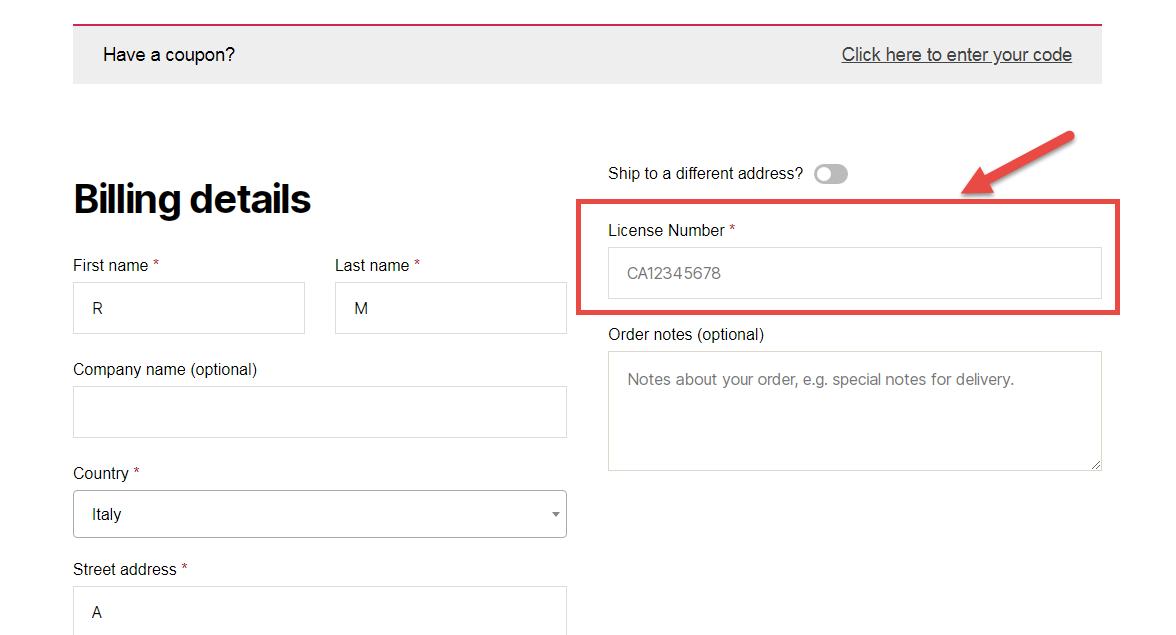
Let’s imagine you want to add a custom checkout field (and not an additional billing or shipping field) on the WooCommerce Checkout page. For example, it might be a customer licence number – this has got nothing to do with billing and nothing to do with shipping.

Ideally, this custom field could show above the Checkout page order notes – right after the shipping form. It will feature a label, an input field, and will be required.

So, here’s how you do it – hope it helps you understand that anything is possible with WooCommerce!

Continue reading WooCommerce: How to Add a Custom Checkout Field

WooCommerce: Check if Product / Variation ID is in the Order

Once a customer places an order, you might want to know if such an order contains a given product or variation ID. You can use this for tracking purposes, for redirecting to a custom thank you page or running your custom functions.

You can also run the check in the admin or in your custom functions, as long as you have access to the order ID or order object.

Enjoy!

Continue reading WooCommerce: Check if Product / Variation ID is in the Order