WooCommerce: Get All Shipping Zones & Rates

As an advanced WooCommerce developer, at some stage you’re really going to need this PHP function, the same way you often browse through Business Bloomer’s WooCommerce visual hook guides or the product / order / cart getters.

This time we go study how to “get” the shipping zones and rates, because it’s likely that you will need to loop through them when you need to display shipping rates somewhere, or for other custom functionalities. Enjoy!

Continue reading WooCommerce: Get All Shipping Zones & Rates

WooCommerce: Show Shipping Rates @ Single Product Page

Here’s a way to print shipping zones and rates on the single product page, so that users know how much they’ll end up spending once they reach the Cart/Checkout and there are no “hidden” fees. Not bad for some transparency = better sales conversion rate!

In this tutorial we will first see how to get the default “WooCommerce Shipping Zones Data” and in a second snippet we will instead see how to get the info for each vendor instead.

Either way, enjoy!

Continue reading WooCommerce: Show Shipping Rates @ Single Product Page

WooCommerce: Show Dispatch / Est. Shipping Date @ Single Product

A good way to inform online customers and avoid issues is showing the estimated delivery / dispatch time on the single product page, just below the “Add to Cart” button. Yes, you could do that manually by adding shipping info to each product short description, but the goal of Business Bloomer is to learn how to code that instead, so you won’t need to write things manually.

Also, this is great because if you change something in your dispatch rules, you just need to change the short PHP snippet and not all your product descriptions. It’s much more flexible this way.

Finally, in this post we’ll learn how to work with cut-off times (hour of the day) and current day of the week (pure PHP), so that we can show a “dynamic” notice based on current date. So, let’s see how it’s done!

Continue reading WooCommerce: Show Dispatch / Est. Shipping Date @ Single Product

WooCommerce: Add Shipping Phone @ Checkout

I’m surprised WooCommerce doesn’t offer this field out of the box. Most ecommerce websites actually require a shipping phone to organize delivery and communicate with the end customer in case there are problems.

Thankfully, there is a hook (filter) for that. It’s called “woocommerce_checkout_fields” and can be used to remove, move or add checkout fields quickly. And here’s how to add, for example, a new shipping field called “shipping_phone”. Enjoy!

Continue reading WooCommerce: Add Shipping Phone @ Checkout

WooCommerce: Flat Rate Calculation Based on Weight (Without a Plugin!)

We already talked about weight based shipping and in this post we found out how to charge different flat rates based on shipping weight thresholds.

But now I want to show you how you can use the default “Flat Rate” to calculate shipping costs based on cart weight, thanks to a multiplier. For example, your shipping rate might be “$5 for each Kg” – as you know the default “Flat Rate” only allows you to define one rate e.g. $10.

So, what if you want to calculate shipping charges by weight? Well, here’s a simple workaround for you. Continue reading WooCommerce: Flat Rate Calculation Based on Weight (Without a Plugin!)

WooCommerce: Assign Free Shipping to a Single Product

Believe it or not, the answer to this very frequent question is inside the WooCommerce settings… so don’t worry too much about coding if you’re not a developer or purchasing yet another premium WooCommerce plugin!

From the WooCommerce shipping rates, you can select “Free Shipping” as a method but that would apply to ALL products – so how do you override the shipping settings and allow a single product to have free shipping, while keeping all the others on a Flat rate?

Continue reading WooCommerce: Assign Free Shipping to a Single Product

WooCommerce: Hide Shipping If Local Pickup Is Selected

Efficient shipping options are a vital part of any successful WooCommerce store, but sometimes simplifying the checkout experience can significantly improve user satisfaction.

By hiding the shipping address form when local pickup is selected, you provide a cleaner, more intuitive checkout flow, reducing the risk of customers making incorrect selections or abandoning their carts altogether.

In this guide, I’ll show you how to use a simple PHP snippet to dynamically hide the shipping address on the WooCommerce legacy checkout when local pickup is chosen as the preferred option.

This approach not only enhances the user experience but also minimizes potential fulfillment errors. Whether you’re a store owner or developer working on custom WooCommerce solutions, mastering this tweak will help you offer a smoother, smarter checkout.

Let’s dive into the code that makes it happen!

Continue reading WooCommerce: Hide Shipping If Local Pickup Is Selected

WooCommerce: Ship to Predefined “Local Pickup” Addresses

WooCommerce Shipping Zones are quite easy to override / customize. With a simple PHP (and jQuery, sometimes) snippet we can accomplish many advanced shipping rules, such as the one we’ll study today.

This time, I’ve tested a snippet to add a dropdown to the billing section where users go choose the pickup destination. As a result, the shipping address is automatically populated, and so is the shipping method. What do you think?

Continue reading WooCommerce: Ship to Predefined “Local Pickup” Addresses

WooCommerce: Weight-Based Shipping Methods

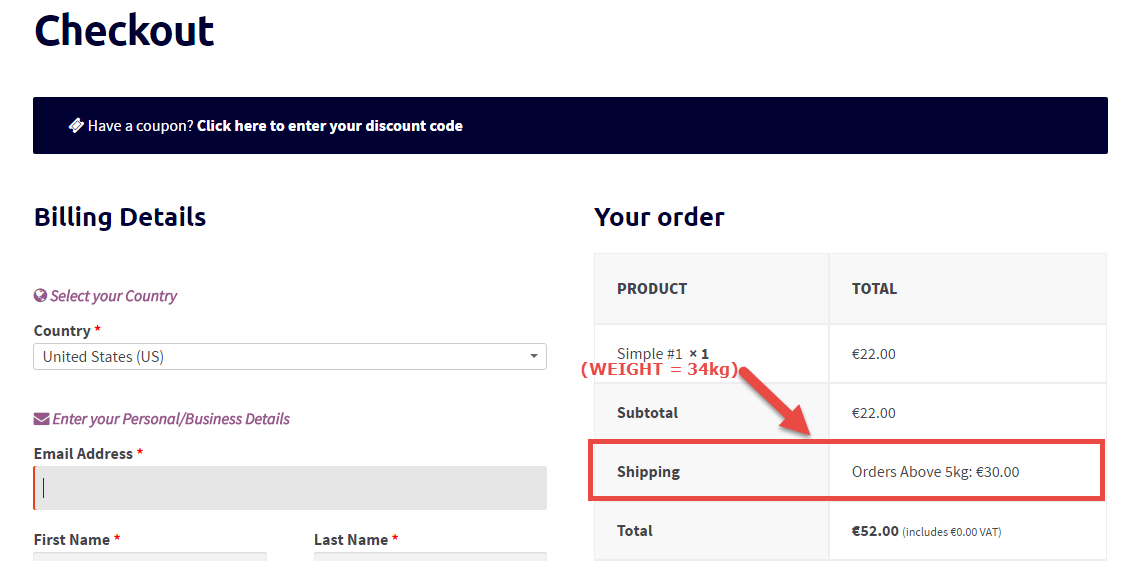
With WooCommerce you get 3 default shipping methods: Flat Rate, Free Shipping, Local Pickup. For each one you can define a cost, however there is no way to set up some “weight” restrictions.

So, what if you want to display a rate for orders below 10 kg, and another shipping rate for orders above that weight?

Well, you can use simple PHP to accomplish lots of “advanced” shipping rules, such as shipping by weight.

As long as all your products have their weight information filled in, you can create some simple rules to conditionally hide/show certain shipping methods based on cart weight. Enjoy!

Continue reading WooCommerce: Weight-Based Shipping Methods

WooCommerce: Shipping Rates by Order Amount

The new shipping zone management that was introduced with Woo 2.6 gives us the chance to add flat rate, free shipping and local pick-up methods by default.

But what if a client requires 3 different rates depending on the order amount (tiered shipping)? For example: “For orders up to $100, shipping = $5; for orders up to $250, shipping = $2; for orders above $500, shipping = free”.

Is this possible without using a plugin? Well, the answer, as usual, is absolutely yes! Enjoy!

Continue reading WooCommerce: Shipping Rates by Order Amount

WooCommerce: Add House Number Field @ Checkout

A North European client told me they’re really strict about billing and shipping addresses over there. Couriers usually require a separate “House Number” in order to dispatch packages within those countries.

This must be therefore placed on the checkout, BESIDE the “Address_1” field and made required. Also, it’s a good idea to make this show in the Admin Order, thank you page and notification Emails.

Continue reading WooCommerce: Add House Number Field @ Checkout

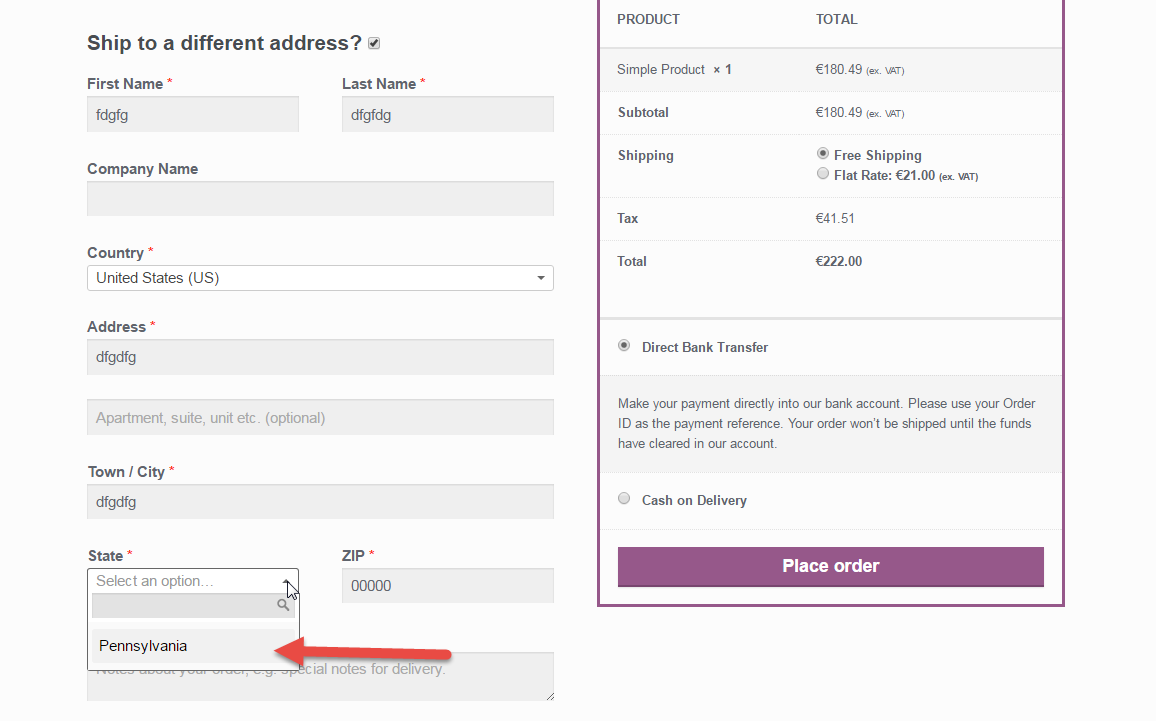
WooCommerce: Limit Shipping to Only One State

Today’s snippet has been widely requested by many readers, clients and WooCommerce fans. We already saw in the past how to Limit State Dropdowns to One State Only (for both Shipping & Billing) and How to Sell to one State only (Billing).

However, we never covered a much more common setting: what happens when Billing is allowed to every state but Shipping is limited?

In order to get a little help, I’ve reached out to Diego Zanella, a WooCommerce genius who is also the author of the Aelia Currency Switcher plugin for WooCommerce.

Continue reading WooCommerce: Limit Shipping to Only One State