WooCommerce offers hundreds of ways to calculate shipping costs at checkout. And until now, there wasn’t a single solution for doing it directly inside the admin order editor.
Your shipping setup may be perfect with zones, rates, conditions, and edge cases, yet when you manually create or edit an order, you still have to enter the shipping cost yourself.
Even worse, as a developer, you often find yourself explaining to store owners why WooCommerce can’t recalculate shipping from the admin.
In this article, we’ll explore why WooCommerce only calculates shipping on the frontend, why recalculating from the admin isn’t as simple as it seems, and the usual workarounds that tend to be painful. Finally, we’ll introduce a plugin that solves all of this frustration—a true game-changer for anyone managing orders.
Manual Orders Are More Common Than You Think
Every store occasionally needs to create or edit an order from the WordPress admin: perhaps the customer requires additional billing data, or has to edit their shipping address, or maybe a product needs to be added or removed.
Besides, there are WooCommerce stores where this need is constant:
- Large stores: Even editing 1–2% of orders can involve a significant number of manual changes.
- B2B stores: Typically require personalized assistance for a substantial portion of sales — such as adding products after advising the customer, suggesting changes, and more.
- Phone orders: Some stores enter a large portion of their orders manually.
- Custom products: These stores usually create orders tailored to the customer’s specific needs — not just by adding standard shop products.
- Quotes: In stores with special products (luxury, customized, or made-to-measure) that are often expensive to ship, it is common to create a quote first, which can be done by creating an order in draft.
Why WooCommerce Only Calculates Shipping on the Frontend
In WooCommerce, shipping calculations only happen on the frontend, basically for these two reasons:
- The cart contents depend on the session, with persistence managed via a cookie. This means that in the admin, we see the shop manager’s cart rather than the customer’s.
- WooCommerce loads the WC_Cart and WC_Shipping objects only on the frontend and only when necessary, helping pages load faster.
Therefore, the obstacles for calculating from the admin would be:
- The session and login belong to the admin or shop manager, not the customer.
- The WC_Cart and WC_Shipping objects and their methods are not available in the admin — WooCommerce does not load this code there, nor is it designed to.
- Trying to force front-end–only code into the admin in a “hacky” way would be complex and risky, potentially breaking in future updates or causing conflicts with other plugins.
In case you are curious, here is a diagram of the WooCommerce flow to calculate shipping costs (simplified):

Common Workarounds (And Why They Fall Short)
The usual solution for overworked merchants is to perform the calculations manually. Sometimes this requires consulting shipping rate tables. When shipping to multiple countries, the risk of errors increases — and either way, it costs time.
All of these solutions can result in lost time, potential errors or draft orders, and even abandoned carts — along with possible automated emails being sent to the customer during or afterward.
Creating the order manually
Some merchants go to the frontend, add all the products to the cart, and enter the customer’s address — at this point, the checkout can calculate the shipping cost. This requires re-entering data and locating all the products again. The advantage is that the shipping methods will calculate accurately. The disadvantage is the time lost, especially if the cart contains many products.
Log in as a customer
Some plugins allow this: as an admin or shop manager, you can impersonate a customer. However, if the customer is new, their account must first be created — a password they didn’t choose will be generated, and they’ll receive an email as if they were registering. This can seem a bit odd to them and might raise suspicion.
The Solution: Real-Time Shipping Calculation From Order Admin
WP-centrics has just published a plugin to solve all these problems. The plugin is called Admin Order Shipping Cost Calculator for WooCommerce, and it does exactly what the name suggests.
It uses the shipping methods already configured in WooCommerce and performs the same calculations that occur at checkout. This allows us to:
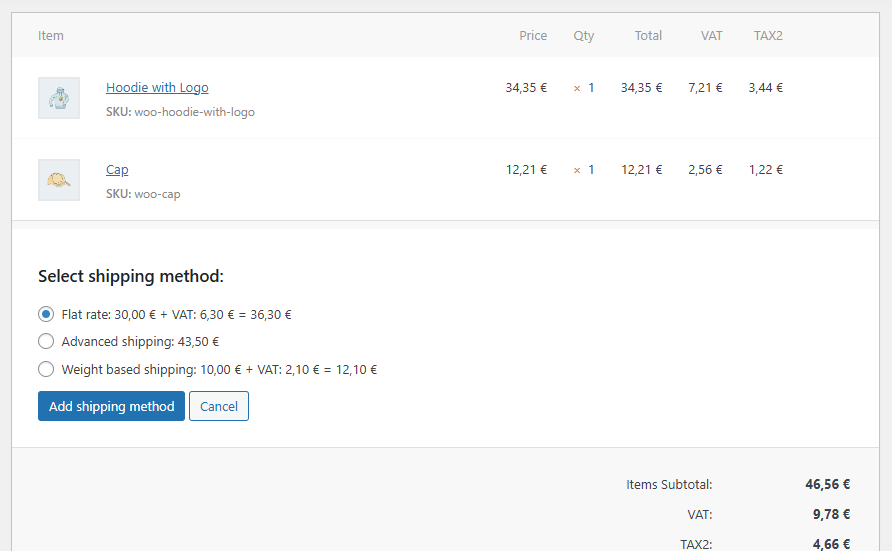
- Get the available shipping methods — and their costs — directly from the admin with a single click.
- Select from the available methods and apply them to the order.
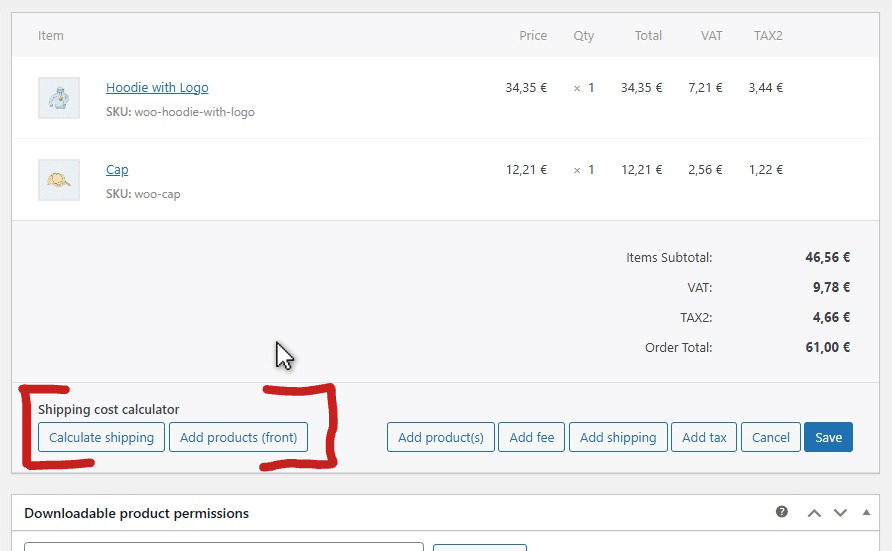
Here are the plugin’s main features:
- Uses the WooCommerce shipping zones
- Compatible with all shipping methods from third-party plugins
- Calculates based on the products in the order and the customer’s address
- Works with the WooCommerce tax system
- Supports multiple packages
- Recreates the user role
- Compatible with various Product Custom Fields plugins
When there are multiple packages, it provides the available shipping methods and rates for each one:

This is how the system works in the background:
- Sets a hook to recreate the customer’s cart
- Sets a hook to simulate the customer’s user role
- Calls the checkout refresh endpoint, sending the cart products and the customer’s address
- (WooCommerce then executes the full calculation as seen earlier)
- Receives the available shipping methods, separated by multiple packages if applicable
- Allows us to add them to the order
A Case Study: Order Items With Custom Product Fields
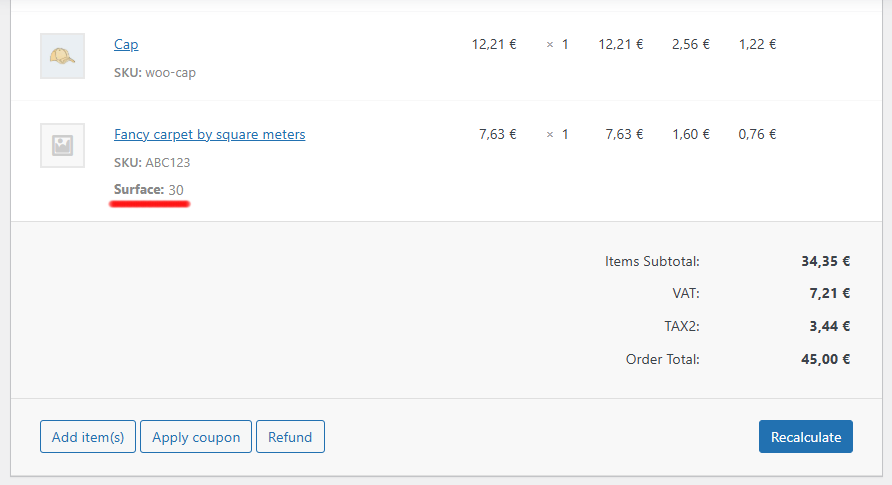
You might be wondering: what about products that use third-party Custom Product Fields? For example, a carpet sold per square meter, where the front-end includes a field to choose the surface area and the price updates dynamically. This field doesn’t exist in the admin!
You might even have shipping cost calculations based on these fields (another WP-Centrics product allows this: Advanced Shipping Rates for WooCommerce).
The Admin Order Shipping Cost Calculator for WooCommerce offers two solutions:
- If it was already installed when the customer added the product to the cart, it already captures all the necessary meta data to reproduce the calculation — it’s almost like magic.
- If the plugin was not installed when the product was added to the cart, or if you want to add the product from the admin, the plugin creates an iframe where it loads the front-end of the product page with the product fields, and then captures this data (meta data) in order to reproduce the cart when recalculation from the admin is needed:

Being the only solution that handles shipping calculation in the admin, and doing it thoroughly, this plugin comes highly recommended for stores managing manual orders.