Black Friday 2026: up to 50% off today See Deals Dismiss

Reserve Your Free Seat for Our Next WooCommerce Class! Search
Business Bloomer
  • Join
  • WooCommerce Plugins
  • WooCommerce Tips
  • Log In
  • 0
  • Business Bloomer Club
  • WooCommerce Plugins
  • WooCommerce Tips
  • Log In
  • Search
  • Contact
  • Cart
WooCommerce Code Snippets Add to Cart My Account Order

WooCommerce: Order Again Button @ My Account > Orders

Last Revised: Jun 2022

STAY UPDATED

The WooCommerce “Order Again” button displays for ‘completed’ orders on the Thank You page and View Order page. That’s a pity, because it would be useful to show it on the My Account > Orders page as well, as a custom “action”, same as the “View”, “Pay” (if pending), “Cancel” (if subscription), “Edit” (custom snippet), “Confirm” (custom snippet) buttons.

The good news is that we can code it ourselves! And just reuse most of the code we already wrote, as well as rely on the WooCommerce “listener” for the existing “Order Again” button. Enjoy!

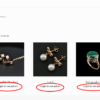
Completed orders will now get a custom “Order again” button under My Account > Orders. On click, the Cart will be filled out with the same products that were in the original order.

PHP Snippet: Add “Order Again” Button to My Account > Orders Action (Completed Orders Only)

If you’re wondering how I came up with the ‘url’ code in the snippet below, I simply reused the exact same code of the woocommerce_order_again_button() function.

Also, somewhere in the Cart class, there is a “listener” that triggers when the button is clicked – see get_cart_from_session() – so because I’m using the exact same button URL, the listener triggers from the new button position as well.

/**
 * @snippet       Order Again @ My Account Orders
 * @how-to        businessbloomer.com/woocommerce-customization
 * @author        Rodolfo Melogli, Business Bloomer
 * @compatible    WooCommerce 6
 * @community     https://businessbloomer.com/club/
 */

add_filter( 'woocommerce_my_account_my_orders_actions', 'bbloomer_order_again_action', 9999, 2 );
   
function bbloomer_order_again_action( $actions, $order ) {
    if ( $order->has_status( 'completed' ) ) {
        $actions['order-again'] = array(
            'url' => wp_nonce_url( add_query_arg( 'order_again', $order->get_id(), wc_get_cart_url() ), 'woocommerce-order_again' ),
            'name' => __( 'Order again', 'woocommerce' ),
        );
    }
    return $actions;
}
Where to add custom code?

You should place custom PHP in functions.php and custom CSS in style.css of your child theme: where to place WooCommerce customization?

This code still works, unless you report otherwise. To exclude conflicts, temporarily switch to the Storefront theme, disable all plugins except WooCommerce, and test the snippet again: WooCommerce troubleshooting 101

Related content

  • WooCommerce: Custom Add to Cart URLs – The Ultimate Guide
    In WooCommerce you can add a product to the cart via a custom link. You just need to use the “add-to-cart” URL parameter followed by…
  • WooCommerce: Hide Price & Add to Cart for Logged Out Users
    You may want to force users to login in order to see prices and add products to cart. That means you must hide add to…
  • WooCommerce: Separate Login, Registration, My Account Pages
    There are times when you need to send logged out customers to a Login page and unregistered customers to a standalone Register page. As you…
  • WooCommerce: Add New Tab @ My Account Page
    One of the features of Business Bloomer Club is the provision of Premium WooCommerce Q&A Support to supporters who enroll. So, how to add an…
  • WooCommerce: How To Make A Website GDPR Compliant? (12 Steps)
    Ok, we all know that the EU General Data Protection Regulation (GDPR) will come into force on the 25th May 2018. So the main question…

Rodolfo Melogli

Business Bloomer Founder

Author, WooCommerce expert and WordCamp speaker, Rodolfo has worked as an independent WooCommerce freelancer since 2011. His goal is to help entrepreneurs and developers overcome their WooCommerce nightmares. Rodolfo loves travelling, chasing tennis & soccer balls and, of course, wood fired oven pizza. Follow @rmelogli

8 thoughts on “WooCommerce: Order Again Button @ My Account > Orders”

  1. Max
    June 8, 2023

    I don’t know how many times I used your PHP codes over my WordPress/Woocommerce website! Thanks a lot for sharing to the community!

    Your code allows us to not have an extra plugin for a really simple functionality, not to pay for an extra plugin and it also helps non coders to understand better how PHP/Wordpress/Woocommerce works.

    So thanks again for sharing with the community!

    Reply
    1. Rodolfo Melogli
      June 17, 2023

      Thank you Max!

      Reply
  2. Nicolas
    October 10, 2022

    Hello Rodolfo, first of all, thanks for this snippet. We have tested this inside an eCommerce website me manage, but somethiing really weird happens after we click on the order again button: it redirects us to the Cart (as I believe it is suppose to be..) but then the cart is empty. Even if I have something in the cart before clicking the order again button (at any order available in my account, inside the Orders Tab).. the Cart gets always emptied. What could we do to solve this issue?

    Reply
    1. Rodolfo Melogli
      October 26, 2022

      A cache issue maybe?

      Reply
  3. michel
    September 2, 2022

    HI there, my client want a option and i hope i can explain it well.

    situation: a client made an order. en later the same client want ot make an order again en then he needs to combine te orde in the checkout. so he want a button ” combine order” then he need to enter his order number of the first order” my client wants this so he can combine it in 1 shipping and the customer only pays 1 shipping. i hope you understand what my client need

    Reply
    1. Rodolfo Melogli
      September 6, 2022

      Hello Michel, thanks so much for your comment! Yes, this is definitely possible, but I’m afraid it’s custom work. If you’d like to get a quote, feel free to contact me here. Thanks a lot for your understanding!

      Reply
  4. George M
    June 17, 2022

    Hi seems to work but it is next to the view button. how could i add this down from the view button? Thanks

    Reply
    1. Rodolfo Melogli
      June 20, 2022

      Thank you George! A bit of custom CSS would do in this case. Unfortunately this is specific to your theme so I can’t help here.

      Reply
Questions? Feedback? Customization? Leave your comment now!
_____

If you are writing code, please wrap it like so: [php]code_here[/php]. Failure to complying with this, as well as going off topic or not using the English language will result in comment disapproval. You should expect a reply in about 2 weeks - this is a popular blog but I need to get paid work done first. Please consider joining the Business Bloomer Club to get quick WooCommerce support. Thank you!

Cancel reply

Your email address will not be published. Required fields are marked *


Search WooCommerce Tips

Popular Searches: Visual Hook Guides - Checkout Page - Cart Page - Single Product Page - Add to Cart - Emails - Shipping - Prices - Hosting

Recent Articles

  • WooCommerce: Simple Price Including/Excluding Tax Switcher
  • WooCommerce: Refund Request Button @ My Account
  • WooCommerce: Show or Hide Bank Accounts Based On Order
  • WooCommerce: Save Order Currency Exchange Rate
  • WooCommerce: Get Orders Containing a Specific Product

Latest Comments

  1. Rodolfo Melogli on WooCommerce: “Inconsistent tax settings” Error
  2. ARNo on WooCommerce: Attach Files (PDF, etc.) To Emails
  3. Rodolfo Melogli on WooCommerce: Only Allow 1 Product in the Cart

Find Out More

  • Become a WooCommerce Expert
  • Business Bloomer Club
  • WooCommerce Blog
  • WooCommerce Weekly
  • Contact

Contact Info

Ciao! I'm Rodolfo Melogli, an Italian Civil Engineer who has turned into an international WooCommerce expert. You can contact me here:

Twitter: @rmelogli

Get in touch: Contact Page

Business Bloomer © 2011-2025 - VAT IT02722220817 - Terms of Use - Privacy Policy

Cart reminder?

x