WooCommerce: Move / Remove Coupon Form @ Cart & Checkout

Coupons: the good, the bad and the ugly. WooCommerce coupon codes are great to convert more sales – but sometimes they get users to pause / stop placing the order until they find a coupon code online (you did it too, I know).

One good workaround that the internet giants such as Amazon and eBay have implemented is to hide the coupon form until an email is entered, or alternatively to move the coupon code to the bottom of the Checkout page. This is a very smart move, and gets the user to concentrate on the Cart / Checkout details before entering or searching for a coupon.

So the question is – how to remove the coupon form in the Cart page (legacy/classic) and how to move the same to the bottom of the Checkout page (legacy/classic)? Well, as usual, a bit of PHP can help us. Here’s how it’s done!

Continue reading WooCommerce: Move / Remove Coupon Form @ Cart & Checkout

WooCommerce: How to Increase Average Order Value?

AOV a.k.a. Average Order Value is one of the most important ecommerce metrics. It describes the average order total in a given period of time. If this year your WooCommerce website converted 150 orders and made $30,000 in revenue, your AOV for this year is $30,000/150 = $200 (i.e. on average, you can expect each order to be $200).

FYI, the meaning of AOV is the same for any ecommerce platform, but in this article we’ll talk just about WooCommerce. In our opinion WooCommerce is a better, more cost-effective solution than Shopify or other counterparts.

If you don’t know what your WooCommerce store AOV is, immediately go to WordPress Dashboard > WooCommerce > Reports > Orders > Sales by Date > Year and divide “net sales in this period” by the number of “orders placed”. But be careful – those reports are sometimes not correct (I know WooCommerce is working on this at the moment). Mine is giving me AOV = €2… and I know that’s not right.

Your best bet is your Google Analytics account (as long as you’re using the official WooCommerce – Google Analytics integration) and/or your Metorik reports (here’s an article you should read if you need to know how to install reliable WooCommerce tracking, reporting, filtering and segmentinghttps://businessbloomer.com/advanced-woocommerce-tracking-analytics-reports-exports-segmentation/). My Metorik dashboard tells me my WooCommerce website AOV for this year is €233 so far – I can trust this one for sure.

So the question is: how can we get our WooCommerce customers to spend more? Well, here’s a list of WooCommerce plugin alternatives you can install right now to boost your AOV.

In fairness, who wouldn’t want some extra revenue? 🙂

Continue reading WooCommerce: How to Increase Average Order Value?

WooCommerce: Disable Tracking if Order Failed @ Thank You Page

The “woocommerce_thankyouhook fires on the Thank You page once an order is placed. Most tracking functions like Google Analytics, affiliate commission plugins and other WooCommerce extensions rely on “woocommerce_thankyou” to run their code.

Problem is – “woocommerce_thankyou” is ALSO called if an order fails (i.e. payment did not go through). Now, unless the plugin is smart enough in its own functions to exclude failed orders, which doesn’t happen often I’m afraid, we need to find a way NOT to run “woocommerce_thankyou” if an order fails. Case study: a client uses a third party affiliate plugin, this plugin hooks into “woocommerce_thankyou“, but they don’t want to calculate conversions when an order fails.

So here you go!

Continue reading WooCommerce: Disable Tracking if Order Failed @ Thank You Page

WooCommerce: Disable Theme’s WooCommerce Template Overrides

A client purchased a premium “WooCommerce-ready” WordPress theme. Unfortunately, this theme comes with a /woocommerce folder, which means theme developers completely override WooCommerce template files by copying them to the folder, and customizing each of them by hand to match their design and functionality needs.

As you know from my “How To Become an Advanced WooCommerce Developer?” article, however, themes should NOT come with a /woocommerce folder – instead they should use “hooks” (actions and filters) to amend default WooCommerce plugin layouts and behavior. This is a huge problem for best seller themes and their legacy coding – and also a reason most themes break when you update WooCommerce…

So the question I asked myself was: how can I disable the entire /woocommerce folder (i.e. ALL WooCommerce template overrides) in a given theme or a single template, so that I can use the default WooCommerce ones instead?

Continue reading WooCommerce: Disable Theme’s WooCommerce Template Overrides

WooCommerce: 5 Ways To Increase B2B Conversions

This is a guest post by Matthew Abdalah of Rumbleship – if you like the article, make sure to thank him in the comments!

Customers live in a world of digital distractions and the last place you want your customers to be distracted is during checkout.

Consumer ecommerce (B2C, business-to-consumer) has taught the B2B (business-to-business) world a lot about what a distraction-free, conversion-friendly checkout looks like: we should reference these lessons for best practices.

Due to its ubiquity, your wholesale buyers are conditioned to expect a comparable level of service to what they experience on B2C websites such as Amazon and eBay.

Tactics like 30-day terms, free shipping and bulk discounts are some of the techniques referenced in this article but we’ve compiled a few extra ones.

Here are 5 creative ways to reduce wholesale WooCommerce shopping cart abandonment, increase your sales conversion rate and grow your profits. Continue reading WooCommerce: 5 Ways To Increase B2B Conversions

WordPress: 15 Themes for Bloggers-To-Be

Are you thinking of starting a WordPress blog?

Great – let’s take a look at what we’ve got here: awesome templates for personal portfolios, food and beverages blogs, cooking blogs, fashion blogs, lifestyle blogs, magazines, speakers, book clubs, travel and photography blogs, and so on… there is really a wide choice of topics out there!

But with the content being the number 1 objective for your blog, don’t forget you also need good functionalities and design features. By opting for a professional WordPress theme from the very beginning, for a little investment, you can get everything you need out of the box:

  • Responsive design + cross browser compatibility – very important for mobile browsing
  • Shortcodes to display content blocks in any page / post, which significantly speed up customization
  • Advanced customization settings – you can change typography, logo, navigation, slider, page templates, footer so that every detail is in line with your brand
  • Predefined page templates for various standard pages like customers’ testimonials, about page, contact page. Every page of your blog can look different
  • Compatibility with WordPress Customizer, so that you can view the amendments in real time

There are many, maybe unlimited, professional WordPress themes for personal blogs – so here’s a quick roundup of 10 that might catch your attention. Have fun! Continue reading WordPress: 15 Themes for Bloggers-To-Be

WooCommerce: Cart and Checkout on the Same Page

This is your ultimate guide – complete with shortcodes, snippets and workarounds – to completely skip the Cart page and have both cart table and checkout form on the same (Checkout) page.

But first… why’d you want to do this? Well, if you sell high ticket products (i.e. on average, you sell no more than one product per order), if you want to save an additional step (two steps convert better than three: “Add to Cart” > “Cart Page” > “Checkout Page” – and this is not rocket science), if your custom workflow and ecommerce objectives require you to manage Cart and Checkout all together, well, this tutorial is for you.

There is a mix of shortcodes, settings and PHP snippets you can use to make this work out of the box. And trust me, this is easier than you think.

While many developers decide to turn the checkout process into a “Multi-Step Checkout” (ehm, not sure why – the more steps the more likely it is to have a cart abandonment), in here we’ll see the exact opposite.

So, how do they do it?

Here’s the complete, easy, step by step guide to put Cart & Checkout on the same page. Give it a go, do some WooCommerce testing and tracking, and see if it converts better 🙂

Continue reading WooCommerce: Cart and Checkout on the Same Page

WooCommerce: 4 Reasons You Should Use a .STORE Domain

This is a guest post by Suman Das of Radix – if you like the article, make sure to thank him in the comments!

Now that you’re planning to sell online, you need to create your own brand. And while WooCommerce can help you develop a slick ecommerce website, building a great brand starts with picking a great domain name.

When it comes to effective brand building and harboring customer trust, your domain name plays a crucial role. It’s the first touchpoint for your customers and helps them get an understanding of what awaits them on your website. Paid marketing campaigns and special offers can help you convert traffic quickly, but to thrive in the long run it’s essential that you build an outstanding BRAND.

Your WooCommerce website is a virtual storefront, so why not use a brand new and very relevant .STORE domain name instead of a .COM? It’s a smart way to highlight the fact that you sell something on your website… without having to explain it through your brand name.

So, here are some reasons you should consider registering a .STORE domain for your WooCommerce website.

Continue reading WooCommerce: 4 Reasons You Should Use a .STORE Domain

WooCommerce: How to Keep Your Customers Loyal?

This is a guest post by Michael Lazar of ReadyCloud – if you like the article, make sure to thank him in the comments!

Customers are the backbone of any ecommerce store, but loyal customers are the shining stars. They cost less to retain, and they are easier to sell to – not to mention that they’ll do some of your marketing for you via social media.

The biggest names in ecommerce right now are thriving because of their loyal customers. Amazon Prime, for example, has over 100 million subscribers, and Zappos does 75% of their business with repeat customers.

Have you ever wondered how these internet giants have captured and retained customers?

Surprisingly, their tactics are not as expensive and time-consuming as you might think. Even as a small WooCommerce e-tailer, you can provide a shopping experience that will keep your customers coming back.

And here are five ways to make it happen. Continue reading WooCommerce: How to Keep Your Customers Loyal?

WooCommerce: Exclude Hidden Products from Mini-Cart Counter

When you add a hidden product to Cart, either manually or programmatically, this will be displayed in the Cart, Checkout and Order details pages (I’m not sure why a hidden product behaves like that… but thankfully you can hide hidden products from the Cart/Checkout/Order page with this snippet).

Problem is, even if you hide hidden products from the Cart page, the “Mini-Cart” product counter icon or text (it depends on your theme) will still count them as products (see the screenshot below). So the question is: in conjunction with the snippet aforementioned, how do I exclude hidden products from being counted in the “menu cart” (also called Mini-Cart Widget)? Continue reading WooCommerce: Exclude Hidden Products from Mini-Cart Counter

Storefront Theme: How To Remove Breadcrumbs

Storefront is the most compatible theme when it comes to building a WordPress eCommerce website. Following the best practices Storefront displays Breadcrumb navigation at the top of every product pages. But some store owners think they are better off without this extra navigation item.

In this tutorial, we will see how we can completely remove breadcrumb navigation from Storefront WooCommerce theme.

Continue reading Storefront Theme: How To Remove Breadcrumbs

WooCommerce + Storefront Theme: Hide Homepage Title

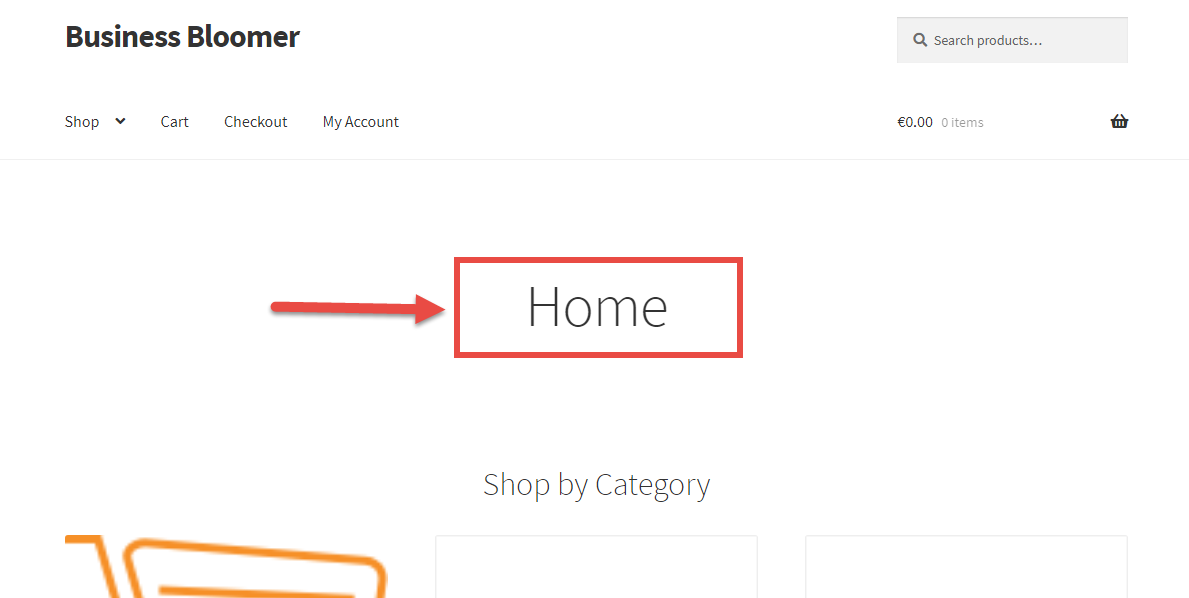
The Storefront theme displays the homepage H1 title by default, no matter if you use the “Default” or the “Homepage” page template.

Of course, you could do it via CSS, with a simple “display:none”. Even better, you could completely avoid loading the homepage title by using PHP (SEOs out there: better not to load an H1 than hiding it via CSS, right?).

So, how do they do it? Here’s the quick fix!

Continue reading WooCommerce + Storefront Theme: Hide Homepage Title

WooCommerce + Jetpack: Exclude Image From “Lazy Load”

If you don’t use an “Image Lazy Load” plugin, it’s time you install one. And if you happen to pick Jetpack’s free Lazy Load module, you probably did the right thing.

However, since I installed Jetpack Lazy Load, I noticed a little “jump” in my Storefront theme header section, where in fact there is an image – my Business Bloomer logo. The same might apply to any WooCommerce image: a category thumbnail, a single product featured image, a cart icon in the header, a homepage hero image, and so on.

Thankfully Jetpack has a useful “filter” you can tap into in order to exclude image classes from lazy loading (yes, I found this out today, it’s not that I know everything!). So, here’s the fix. Enjoy 🙂

Continue reading WooCommerce + Jetpack: Exclude Image From “Lazy Load”

WooCommerce: Display “In Stock” Products First @ Shop

We’ve already seen how to add a custom “Product Sorting” option to the “Default Sorting” dropdown in the WooCommerce Shop page.

The task I was presented with, however, was to display items based on a custom “meta key”. Now, if you have no idea what a “meta key” is, don’t worry too much. For example, “_stock_status” is one of these keys, and therefore you can sort products by that key as opposed to product name, date, price, etc.

So, let’s see how to show all out of stock products as last in the shop, category and loop pages. As usual, simply copy/paste this little plugin in your functions.php and you’ll get the wanted result 🙂

Continue reading WooCommerce: Display “In Stock” Products First @ Shop