In WooCommerce, there are cases where you might want to log out a user after they complete a purchase. For example, new customers, one-time buyers, or sites where accounts are only needed temporarily, keeping users logged in after checkout may not make sense.
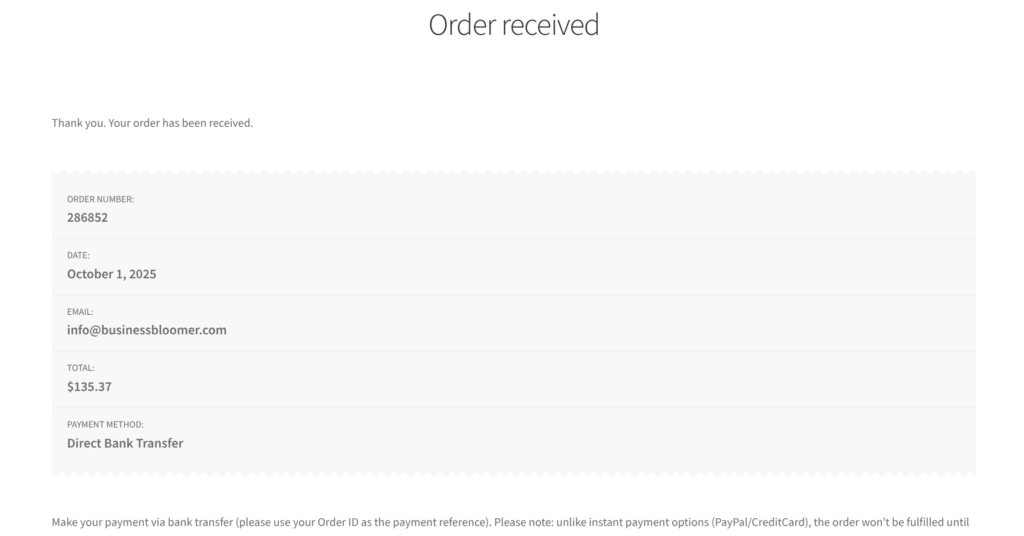
However, logging them out too early — like immediately on the Checkout page, or when the Thank You page loads — can prevent them from seeing their order details.
The ideal solution is to defer the logout until the user navigates away from the Thank You page. This way, checkout completes normally, the order confirmation is visible, and the user is safely logged out on their next visit.
In this post, we’ll show a simple PHP snippet that achieves this using WooCommerce sessions. The code sets a logout flag after checkout and automatically logs the user out silently the next time they visit any page, keeping the process smooth and user-friendly.
Here’s how to implement it.
PHP Snippet: Log Out WooCommerce Users After Checkout Completion
This PHP snippet works in two steps to safely log out users after they complete a WooCommerce checkout.
The first step runs on the woocommerce_thankyou hook, which fires when the order is successfully processed and the Thank You page is displayed. Here, we set a session flag called logout_after_thankyou. This flag acts as a marker indicating that the user should be logged out the next time they visit any page on the site.
The second step runs on the template_redirect hook, which executes on every page load. The code checks if the user is logged in and if the logout_after_thankyou flag is set in their session.
If both conditions are met, the user is logged out using WordPress’ wp_logout() function, and the WooCommerce session is cleaned up with WC()->session->cleanup_session(). The flag is then removed to prevent the logout from happening repeatedly.
This approach ensures the user sees the Thank You page and their order details but is logged out automatically the next time they browse the site. It’s a smooth, user-friendly way to handle post-checkout logouts without disrupting the checkout flow.
/**
 * @snippet       Log Customers Out @ WooCommerce Thank You Page
 * @tutorial      https://businessbloomer.com/woocommerce-customization
 * @author        Rodolfo Melogli, Business Bloomer
 * @compatible    WooCommerce 10
 * @community     https://businessbloomer.com/club/
 */

add_action( 'woocommerce_thankyou', 'bbloomer_set_logout_after_checkout' );

function bbloomer_set_logout_after_checkout( $order_id ) {
    if ( is_user_logged_in() ) {
        WC()->session->set( 'logout_after_thankyou', true );
    }
}

add_action( 'template_redirect', 'bbloomer_logout_after_thankyou_silent' );

function bbloomer_logout_after_thankyou_silent() {
    if ( is_user_logged_in() && WC()->session->get( 'logout_after_thankyou' ) ) {
        wp_logout();
        WC()->session->__unset( 'logout_after_thankyou' );
    }
}