For businesses that handle a large volume of purchase orders (POs), manually entering order information into WooCommerce can be a significant bottleneck. Repetitive data entry, especially for repeat customers, is not only time-consuming but also prone to errors.
This post explores strategies for automating the process of creating WooCommerce orders from POs, focusing on how to capture all relevant customer data, including billing and shipping addresses, and associate it with a customer account for future use.
We’ll examine various approaches, from leveraging order duplication features to exploring custom development options and integrating with CRM systems. The goal is to help businesses streamline their order processing workflow, reduce manual effort, and improve accuracy, ultimately freeing up valuable time and resources to focus on other critical aspects of the business.
This involves not only efficiently creating orders but also ensuring that customer data is captured and managed effectively for repeat business.
The Challenge of Manual Order Entry
Manually entering POs into WooCommerce often involves redundant data entry, particularly for repeat customers. While some methods might create a customer account, they often fail to capture all the necessary customer details, such as address and contact information.
This necessitates re-entering the same information for subsequent orders from the same customer, wasting valuable time and resources.
Solutions for Automating Customer Data Capture
Several approaches can be taken to address this issue:
1. Order Duplication:
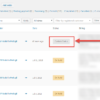
One suggestion involves using an order duplication feature. This allows the store owner to manually enter the complete customer and order information for the first PO.
For subsequent orders from the same customer, the previous order can be duplicated, automatically populating all the necessary fields, including customer details and addresses. This approach significantly reduces manual data entry and ensures consistency.
2. Custom Development:
For more complex requirements, custom development might be necessary. This could involve creating a custom form for entering PO information, which would automatically create a customer account (if one doesn’t already exist) and populate all the necessary customer data, including billing and shipping addresses.
This approach offers the most flexibility but requires technical expertise.
3. Integration with CRM or Order Management System:
If the business uses a CRM or order management system, integrating it with WooCommerce could automate the process of creating customer accounts and populating order information.
When a new PO is received, the information can be entered into the CRM, which would then automatically create or update the corresponding customer account in WooCommerce.
Addressing the Username Issue
One challenge highlighted in the discussion was the potential for duplicate usernames when using email addresses as usernames. This can occur when multiple customers share the same email domain (e.g., info@somedomain.com).
To address this, it’s recommended to implement a more robust username generation system, such as appending a unique identifier to the username or using a combination of first name, last name, and a random number.
Recommendations
For businesses dealing with a high volume of POs, implementing an order duplication feature or integrating with a CRM system are the most effective solutions. These approaches automate customer data entry, reduce manual work, and ensure consistency.
When implementing a solution, it’s crucial to address the potential for duplicate usernames and ensure that all necessary customer information, including billing and shipping addresses, is captured and associated with the customer account.