In a recent Business Bloomer Club Slack thread, a member asked whether it’s possible to send payments for specific products to one bank account, and all other payments to a different one.
This came up in the context of WooCommerce and name-your-price donations, but it’s a more general question that has wide relevance for multi-vendor stores, fundraising sites, and complex payment workflows.
The short answer? Not with default WooCommerce functionality. But let’s go over the options and workarounds that were discussed.
WooCommerce Core Limitations
At the moment, WooCommerce allows only one payment gateway to handle a single transaction. Even if multiple products are in an order, the payment is captured once — and sent to one bank account. Routing payments to multiple destinations per product is not possible natively.
There is ongoing work in WooCommerce core to support multiple transactions per order, which would theoretically enable features like this. But as of now, this functionality is still under development and not available even in beta.
Use Cases: Name Your Price Donations
In this case, the request was tied to donations made via the Name your price plugin. A client wanted the proceeds of different donation products to go to different bank accounts — which would require product-level payment routing.
Unfortunately, even popular plugins like “Name Your Price” or WooCommerce Subscriptions don’t support this kind of routing.
Possible Workarounds
Conditional Payment Gateways
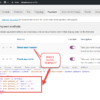
Using the WooCommerce Toggle Payments By Category Mini-Plugin, you can conditionally allow or restrict gateways based on the product categories in the cart. So theoretically, you could:
- Register two payment gateways, each tied to a different bank account (e.g., Stripe A and Stripe B).
- Configure conditional rules to show only one gateway if only Product A is in the cart, and the other if only Product B is in the cart.
However, if both products are in the same cart, this approach breaks down — you can’t route partial payments to each gateway.
Split Orders by Product
Another workaround is to split the cart into separate orders per vendor or product category using plugins like:
- Dokan
- WC Vendors
- Product Vendors
These plugins create a multi-vendor marketplace setup, where each vendor is responsible for their own products. This way, you can assign bank accounts via a marketplace payment system like Stripe Connect, which handles revenue splitting and payouts.
Custom Deposits or Partial Payments
In some edge cases, you may simulate multi-payment flows with a partial/deposit payment setup. I cover this in my masterclass Allow Multiple Payments in the Same WooCommerce Order.
Final Thoughts
This is a complex feature with major UX implications — especially if multiple payment gateways or checkouts are required. For now, the only real solution involves turning the store into a vendor-based marketplace using a plugin like Dokan or WC Vendors and leveraging payment gateways that support split payments (e.g., Stripe Connect).
Still, this is an area to watch. WooCommerce may eventually support multiple transactions per order, which would open the door to more flexible payment routing.